LinkSave gives every useful page a place to live. Save active tab links in one click, filter by date range, and recall what matters instantly.
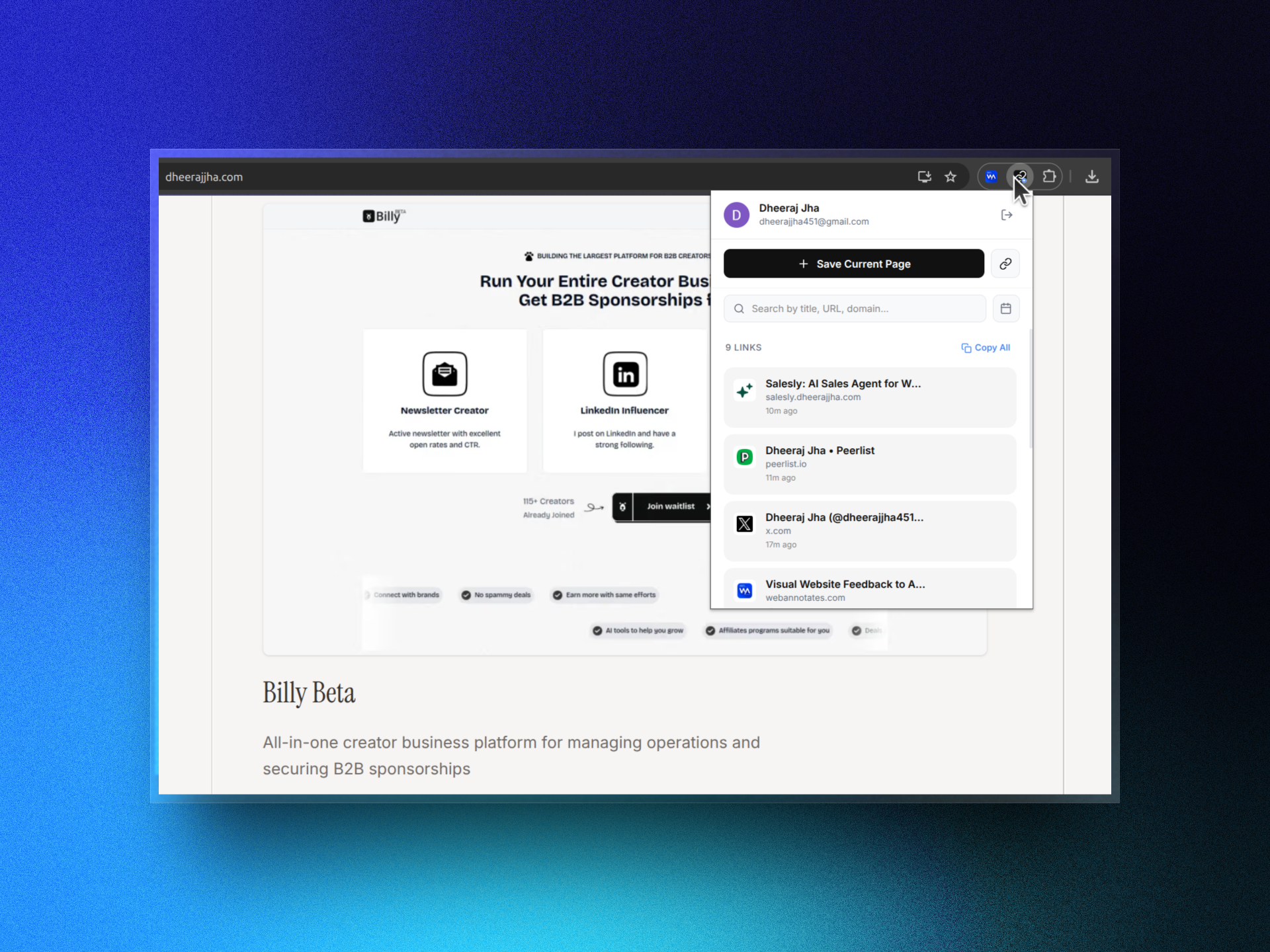
Built for speed, clarity, and privacy.
Here is everything currently available inside the LinkSave Chrome extension.
1-Click Active Page Save & Manual URL
Instantly capture your current active tab URL and title, or add any link manually with a custom title.
Instant Fuzzy Search
Search saved links instantly by page title, URL substring, or domain name.
Date Range Filters
Filter saved bookmarks by Today, Last 7 Days, Last 30 Days, or custom date pickers.
Google OAuth & Copy All Links
Secure 1-click Google sign-in with instant local caching (0ms latency), plus 1-click "Copy All" links to clipboard.
Try LinkSave right in your browser.
Add a link below to simulate how LinkSave captures and organizes your links instantly.
Three simple steps to never lose a link.
Designed to stay completely out of your way until you need your saved bookmarks.
Install & Sign In
Add LinkSave to Google Chrome and sign in securely with your Google account in one click.
Save Any Webpage
Click "Save Current Page" for active tabs, or enter custom URLs and custom titles manually.
Search & Date Filter
Fuzzy search by title or URL (Ctrl+K), filter by date range (Today, 7d, 30d), or copy all links.
Frequently asked questions.
Everything you need to know about LinkSave.